
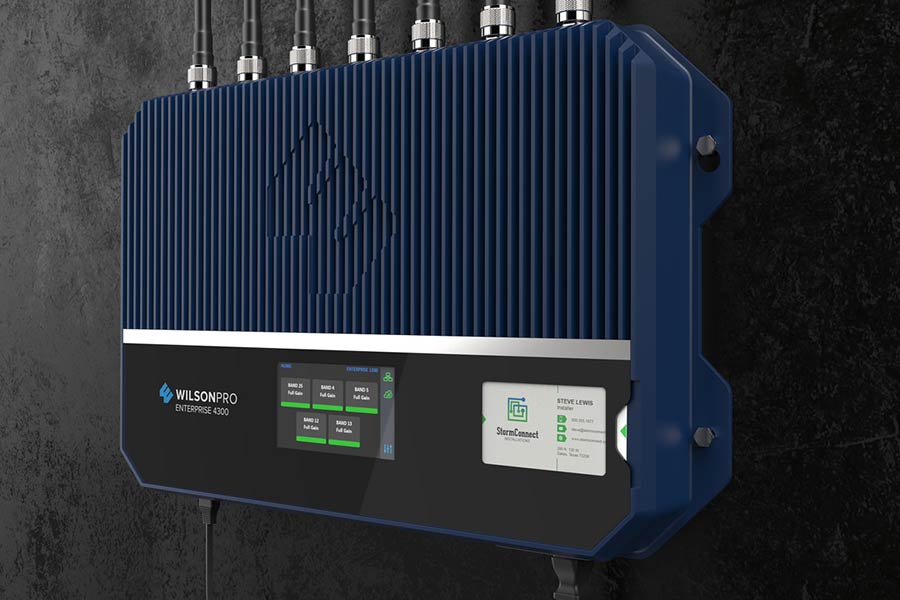
Ever feel like your phone's signal is playing hide and seek? A cellular signal booster might be your new best friend. These handy gadgets have been around since the early days of mobile phones, evolving to keep up with our growing need for connectivity. They grab weak signals and amplify them, giving you better reception in those pesky dead zones. Imagine never dropping a call again or waiting ages for a text to send. It's like having a mini cell tower right in your home or car.
Key Takeaways
- Boost Weak Signals: Signal boosters help make weak cell signals stronger so your calls and data work better.
- Pick the Right One: Choose a booster that fits your needs, like home or car use, and check its coverage area.
- Easy Setup: Follow simple steps to install and set up your booster for the best results.
- Compare Choices: Look at different boosters and compare features to find the best one for you.
- Improve Connectivity: Boosters can improve call quality and internet speed, making them a good choice for areas with poor signal.
- Cost vs. Benefits: Weigh the cost against the benefits to ensure you're getting good value for your money.
Understanding Cellular Signal Boosters
How Boosters Work
Cellular signal boosters help when signals are weak. They amplify weak cellular signals to give better reception. These devices use external antennas. The antennas capture signals from nearby cell towers. Once captured, the booster enhances these signals.
Inside your home or office, internal antennas distribute the enhanced signals. This allows phones and devices to receive stronger connections indoors. The process improves call quality and data speeds.
Frequency Bands Explained
Boosters operate on specific frequency bands. Common bands include 700 MHz and 2100 MHz. Each band serves different purposes. To work effectively, a booster must match the carrier's frequencies it intends to enhance.
Different networks like 3G, 4G, and 5G use various bands. For example:
- 3G often uses lower bands.
- 4G might use mid-range bands.
- 5G can use higher frequencies.
Understanding these bands helps in choosing the right booster for your needs.
MIMO Antennas vs Boosters
MIMO antennas and boosters serve different roles. MIMO antennas increase data speeds by using multiple signals at once. They are great for fast internet connections.
Boosters focus on improving signal strength. They may not always increase speed but ensure better coverage. Choosing between them depends on your needs.
- Need faster data? Consider MIMO antennas.
- Want stronger signals? A booster is ideal.
Choosing the Right Booster
Assess Coverage Needs
First, determine where signals are weak in your home or office. Walk around to see which rooms have poor reception. Consider the size of the area that needs better coverage. Is it just one room or the entire building? Identify obstacles like thick walls or metal objects that may block signals. These can make a big difference in signal strength.
Evaluate Signal Strength
Use a smartphone app to measure your current signal strength. Many free apps can show you detailed information about your signal. Check your phone's signal bars as a quick indicator. Fewer bars mean weaker signals. Identify dead zones where calls drop frequently. Knowing these spots helps in choosing a booster.
Carrier Compatibility
Ensure the booster supports your mobile carrier's network. Not all boosters work with every carrier. If you use multiple carriers, verify compatibility with all of them. Some boosters support dual-band or tri-band frequencies for greater flexibility. This is important if you switch carriers often.
Budget Considerations
Set a budget based on the coverage area and features you need. More powerful boosters cost more but cover larger areas. Compare prices of different models and brands. Look for reliable reviews from real users. Consider long-term savings from improved connectivity, like fewer dropped calls and faster internet speeds.
Installation and Setup
Installation Tips
Place the external antenna in a high spot. This helps get the best reception. Follow the manufacturer's instructions closely. They know how it works best. After installation, test the signal strength. Ensure there's an improvement.
Enhancing 5G Signals
Use boosters made for 5G frequencies. They work better with new technology. Position antennas to capture 5G signals effectively. Find spots where signals are strong. Stay updated on new 5G booster technologies. They can improve your experience.
Boosting Wi-Fi Signals
Wi-Fi extenders help with indoor coverage. They make signals reach further places. Position routers centrally in your home. This minimizes dead zones. Upgrade to mesh systems for seamless connectivity. These systems offer a smooth internet experience.
Evaluating Booster Options
Reviews and Warranty
Customer reviews can help you find a reliable booster. They show real experiences with the product. Check what others say about performance and ease of use. Also, look at the warranty terms. A good warranty covers repairs or replacements for a long time. Brands with strong customer support often offer better warranties. This can be very helpful if something goes wrong.
FCC Certification Importance
FCC certification is crucial for any signal booster. It means the device meets safety standards set by the government. Certified boosters are legal to use and do not cause problems with networks. Non-certified devices might interfere with other signals. This could lead to fines or penalties. Always choose a booster that is FCC certified to ensure it is safe and compliant.
Support and Service Options
Good customer service is important when buying a booster. Look for brands that offer reliable support. You might need help with installation or troubleshooting issues. Check if the company has technical support available. Online resources like FAQs or installation guides are also useful. They provide quick solutions to common problems without needing to call for help.
Summary
Alright, folks, you've got the lowdown on cellular signal boosters. From picking the right one to getting it up and running, you're now equipped to tackle those pesky dead zones. Think of your booster as a trusty sidekick, ready to amplify your signal like a superhero boosts their powers.
hat's next? Dive in and choose your perfect match. Don't let weak signals cramp your style. Amp up your connection and keep the world at your fingertips. Got questions or need more tips? Reach out and explore further. Your communication lifeline is just a booster away! Stay connected, stay empowered.
Frequently Asked Questions
What is a cellular signal booster?
A cellular signal booster is like a megaphone for your phone's signal. It amplifies weak signals, improving call quality and internet speed. Perfect for areas with poor reception.
How do I choose the right booster?
Think of it as finding the perfect pair of shoes. Consider your coverage needs, carrier compatibility, and budget. Match these to the booster's specifications.
Is installing a signal booster difficult?
Not really! It's like setting up a new gadget. Most boosters come with easy instructions. You’ll mount an antenna, connect cables, and plug in the power.
Can a signal booster work with any smartphone?
Yes, it’s like a universal remote for your cell signal. Most boosters support all major carriers and work with any smartphone model.
Will a booster improve my internet speed?
Absolutely! A booster can turbocharge your data connection by enhancing signal strength. It’s like upgrading from dial-up to broadband.
Are there any legal restrictions on using boosters?
Yes, but don’t worry. Just ensure your booster is FCC-certified and registered with your carrier. It's like having a license for peace of mind.
How do I know if my booster is working properly?
Check your phone's signal bars or use a speed test app. If you see more bars or faster speeds, it's doing its job—like magic!