
Home theater systems have changed the way we enjoy movies, sports, and gaming. Thanks to technological advancements, it's now easier than ever to create a cinematic experience in the comfort of our own homes. The key player in this transformation is the 4K projector, which offers unmatched image quality with vibrant colors and sharp details.
4K projectors have a resolution of 3840 x 2160 pixels, providing four times the detail of standard 1080p projectors. This superior image quality makes them perfect for various uses, from dedicated home theaters to casual movie nights. With high contrast ratios and brightness levels, every scene is displayed with exceptional clarity, whether you're watching in a dark room or a well-lit space.
In this guide, we'll show you how to create an amazing cinematic experience at home using affordable 4K projectors. We'll walk you through five simple steps:
- Choosing the right projector
- Setting it up for optimal performance
- Enhancing image quality and color accuracy
- Streamlining content access with smart features
- Creating an immersive audio experience
By following these steps, you'll be able to transform your living space into an impressive home theater that competes with traditional setups.
Step 1: Choosing the Right 4K Projector
Selecting the best 4K projector begins with understanding key factors that impact your viewing experience:
- Brightness: Measured in lumens, brightness determines how well a projector performs in different lighting conditions. Higher lumens are ideal for brighter rooms, while lower lumens work well in controlled lighting environments.
- Resolution: A true 4K projector offers a resolution of 3840 x 2160 pixels, delivering ultra-high definition images. Ensuring your projector supports this resolution is crucial for achieving the best image quality.
- Throw Ratio: This defines the distance between the projector and the screen to achieve a specific image size. Ultra Short Throw (UST) projectors can be placed close to the screen, making them suitable for small spaces.
Comparing Popular Models
When evaluating models, two standouts are the Formovie Theater and Formovie Cinema Edge. Both offer exceptional performance but cater to different needs:
- Formovie Theater: Known for its high brightness and superior color accuracy, this model utilizes laser technology to deliver vibrant and detailed images. Reviews highlight its reliability and ease of use.
- Formovie Cinema Edge: Offering a more budget-friendly option without compromising on quality, this model is praised for its excellent contrast ratio and sharpness. Users appreciate its compact design and user-friendly interface.
Importance of Reading Reviews
Before finalizing your choice, it's essential to read reviews from verified users. Real-world insights help you understand how a projector performs over time, including any potential issues or standout features. Websites like AVS Forum and Projector Central provide comprehensive reviews from both experts and consumers.
By considering these factors and exploring popular models like Formovie Theater and Cinema Edge, you're well on your way to selecting a 4K projector that suits your needs perfectly.
Step 2: Setting Up Your Projector for Optimal Performance
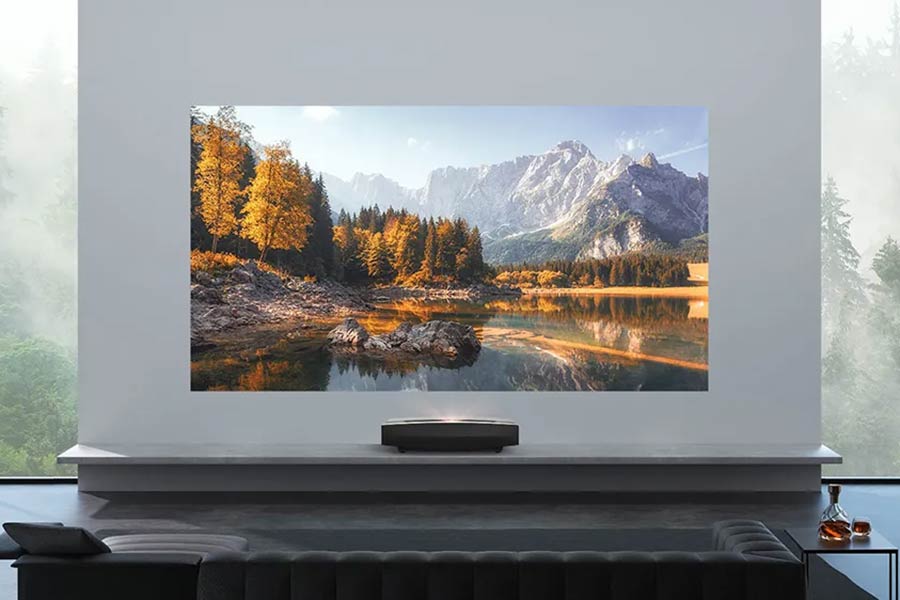
Ultra short throw projectors are game-changers for small spaces like apartments or cozy home theaters. These projectors can be placed very close to the screen, often just a few inches away, while still projecting large, high-quality images. This not only saves space but also reduces the risk of shadows and obstructions.
Step-by-Step Guide to Setup
- Placement and Mounting
- Position your ultra short throw projector close to the screen or wall.
- Use a level to ensure the projector is perfectly aligned with the screen. This helps in avoiding image distortion.
- Screen Selection
- Choose a projector screen designed for ultra short throw projectors. High-gain screens are excellent for enhancing brightness.
- Ensure the screen is flat and free of wrinkles for optimal image quality.
- Initial Power-Up and Basic Settings
- Connect your projector to a power source and turn it on.
- Navigate through the initial setup menu to select your preferred language and input sources.
- Image Alignment and Focus
- Use the keystone correction feature to adjust any trapezoidal distortion.
- Fine-tune the focus until the image is sharp and clear.
- Adjusting Brightness and Contrast
- Set the brightness level according to your room's lighting conditions. A brightly lit room requires higher brightness settings.
- Adjust contrast settings to enhance detail and depth in dark scenes.
- Color Calibration
- Access the color settings menu and choose a pre-set mode (e.g., Cinema, Game, Vivid).
- For more precise calibration, use a colorimeter or follow online guides specific to your projector model.
- Test Different Content Types
- Play various types of content such as movies, sports, and games to fine-tune settings for each type.
- Sound Configuration
- Although many 4K projectors have built-in speakers, connecting an external sound system can significantly enhance your audio experience.
Understanding these steps ensures that you get the best possible performance from your DLP technology-based projector, delivering stunning visuals every time you sit down for a movie night.

Step 3: Enhancing Image Quality and Color Accuracy with Advanced Features
Understanding the Importance of Color Accuracy
A truly immersive cinematic experience depends on accurate color reproduction. To achieve this, you need to calibrate your 4K projector so that it displays colors that closely match the Rec. 709 color gamut. This standard is widely used in HDTV, ensuring that the colors you see are true to life.
Tip: Access your projector's settings menu and look for color management options. Adjust the hue, saturation, and brightness to align with Rec. 709 standards.
Adjusting Contrast Ratio for Enhanced Detail and Depth
The contrast ratio of your projector is crucial for delivering detailed and deep images. A higher contrast ratio ensures that blacks appear blacker and whites whiter, adding depth to the visuals.
Tip: Increase the contrast settings to enhance shadow details without washing out bright areas.
Overview of DLP Technology
Digital Light Processing (DLP) technology is a popular choice in many 4K projectors due to its ability to produce sharp images with smooth motion handling. DLP projectors use microscopic mirrors to reflect light, creating crisp and vibrant images.
Benefits of DLP Technology
- Sharpness: DLP projectors excel at producing sharp images, making them ideal for high-definition content.
- Smooth Motion Handling: They offer superior performance in fast-motion scenes, perfect for action movies and gaming.
Incorporating these advanced features will significantly enhance your viewing experience, transforming your home theater into a cinematic haven.
Step 4: Streamlining Content Access with Smart Features Like Google TV Integration
Modern 4K projectors equipped with Google TV integration significantly enhance your viewing experience by providing seamless access to popular streaming services. With built-in smart features, you can easily browse and stream content without the need for additional devices such as streaming boxes or gaming consoles.
Key Benefits:
- Unified Interface: Google TV offers a user-friendly interface that consolidates content from multiple streaming platforms, making it easy to find your favorite shows and movies.
- Voice Control: The integration allows you to use voice commands via Google Assistant, enabling hands-free searches and control.
- App Versatility: Access a wide range of apps directly on your projector, including Netflix, Disney+, Amazon Prime Video, and more.
- Personalized Recommendations: Google TV curates content based on your viewing habits, ensuring you always have something interesting to watch.
These smart features transform how you interact with your home theater system, offering convenience and a streamlined entertainment experience. By integrating everything into one device, you eliminate the clutter of multiple remotes and external devices.
Step 5: Creating an Immersive Audio Experience with Dolby Audio Support and DTS:X Sound System Compatibility
Achieving a cinematic experience involves more than just stunning visuals; the audio setup is equally critical. To complement your 4K projector, consider integrating Dolby Audio or DTS:X sound systems for rich, immersive sound.
Recommendations for Sound Setup:
- Soundbars: An excellent option for those looking for a straightforward setup. Models like the Sonos Beam or Bose Soundbar 700 offer robust performance and Dolby Audio support.
- Dedicated Audio Systems: For a more immersive experience, invest in a full home theater audio system like the Yamaha YHT-4950U or the Onkyo HT-S3910, which support both Dolby Audio and DTS:X.
- Wireless Options: If you prefer a clutter-free setup, wireless systems such as the Sony HT-Z9F provide high-quality sound without the hassle of cables.
Key Considerations:
- Ensure your chosen audio system is compatible with your projector's outputs. Most modern 4K projectors come with multiple HDMI ports that support audio passthrough.
- Position your speakers or soundbar correctly to optimize sound dispersion throughout the room.
With these recommendations, you can create an audio environment that perfectly complements your visual setup, bringing the full cinematic experience into your home.
Conclusion: Bringing the Cinematic Experience Home with Affordable 4K Projectors like Formovie Cinema Edge
Affordable 4K projectors like the Formovie Cinema Edge offer a remarkable value proposition for creating a cinematic experience at home. These entry-level models provide stunning visuals and vibrant colors, making high-quality home cinema more accessible than traditional setups.
Key Features:
- Superior image quality with high contrast ratios.
- Laser light sources enhancing color accuracy.
- Multiple connectivity options for seamless integration.
Choosing an affordable 4K projector can transform your living room into a movie theater, delivering an immersive viewing experience without breaking the bank.