
Lutron Caséta is a leading provider of smart lighting solutions, offering a wide range of products designed to enhance your home's lighting experience. From the reliable dimmer Caséta to the innovative Lutron Caséta smart switch and the essential Lutron Caséta Smart Bridge Pro, this brand offers comprehensive solutions tailored to modern living.
Why Smart Lighting Matters in Today's Homes
Smart lighting changes the way you interact with your home, affecting:
- Energy Efficiency: Save energy with automated dimming and scheduling.
- Convenience: Control your lights from anywhere using apps or voice assistants.
- Aesthetics: Customize lighting scenes to match any occasion or mood.

Why Choose Lutron Caséta for Your Home?
Investing in Lutron Caséta technology has several benefits:
- Easy Installation: Designed for DIY enthusiasts, requiring minimal tools.
- Seamless Integration: Works well with popular voice assistants like Amazon Alexa and Google Home.
- Customizable Settings: Create personalized scenes for different activities, enhancing the atmosphere of your living spaces.
Upgrade your home with Lutron Caséta's smart lighting solutions and enjoy improved functionality and aesthetics.
Key Features of Lutron Caséta Products
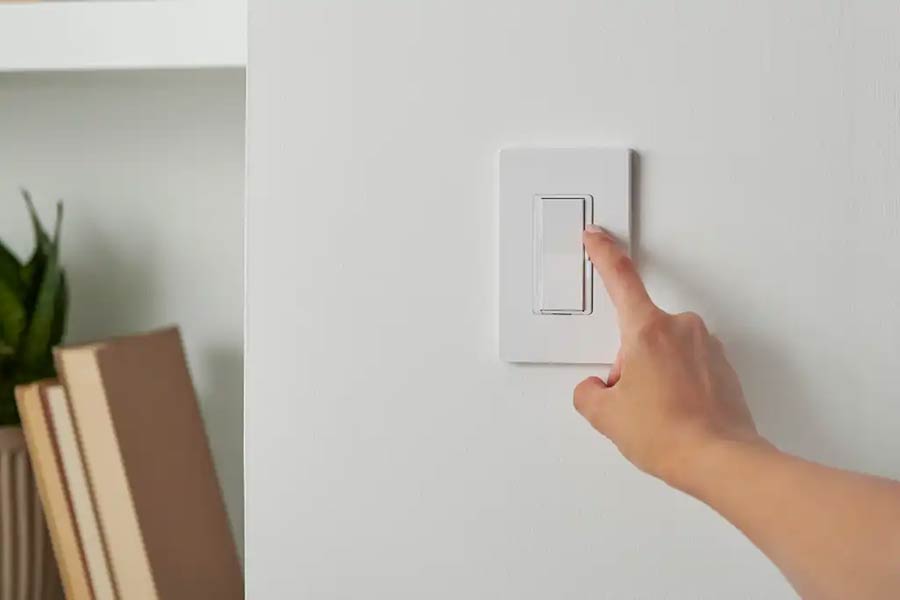
Lutron Caséta offers a versatile range of smart home devices designed to elevate your lighting control. The product line includes:
- Dimmers: Adjust the brightness of your lights effortlessly.
- Switches: Control your lighting with precision.
- Plugs: Turn any standard lamp into a smart device.
- Smart Hub: The core component that connects and manages all your Caséta devices.
Wireless Connectivity
One standout feature is the wireless connectivity. Lutron Caséta uses Clear Connect wireless technology, ensuring robust performance without interference from other wireless devices. This system allows you to control up to 74 devices per hub, giving you extensive coverage throughout your home.
Compatibility with Voice Assistants
Another significant advantage is its compatibility with major voice assistants:
- Amazon Alexa
- Google Assistant
- Apple HomeKit
This integration makes it possible to manage your lighting with simple voice commands, adding a layer of convenience and accessibility for all family members.
Customizable Settings
The customizable settings offer an enriched user experience. With the Lutron app, you can create personalized scenes tailored to various activities or moods. For instance:
- Movie Night: Dim the lights and set the perfect ambiance.
- Morning Routine: Gradually increase brightness to simulate sunrise.
- Away Mode: Randomly turns lights on and off to give the appearance that someone is home.
These features make Lutron Caséta not just a smart lighting solution but a comprehensive tool for enhancing both functionality and aesthetics in your living space.
The combination of wireless connectivity, voice assistant compatibility, and customizable settings positions Lutron Caséta as a leading choice for anyone looking to upgrade their home lighting system.
The Role of the Smart Hub in a Caséta System
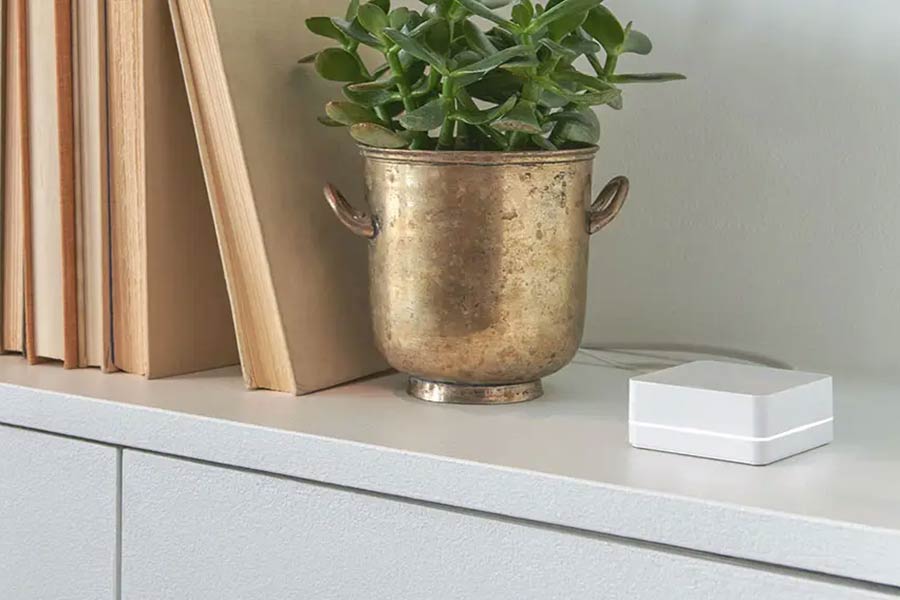
The Lutron Smart Hub is the main control unit for your entire Lutron Caséta system. It acts as the brain of your smart lighting setup, making sure all connected devices like dimmers, switches, and plugs can communicate with each other smoothly.
Key Functions of the Lutron Smart Hub
Here are some important things that the Lutron Smart Hub can do:
- Central Control: The hub manages and synchronizes all your Lutron devices, allowing you to control your lighting system through the Lutron app or voice assistants like Amazon Alexa and Google Home.
- Remote Access: With the hub, you can control your lights from anywhere in the world using your smartphone. This feature is particularly useful for those who travel frequently or want to manage their home lighting remotely.
- Scene Creation: The hub enables creating personalized scenes that adjust multiple lights simultaneously to match different moods or activities. For example, a "Movie Night" scene could dim the living room lights while turning off others.
Clear Connect Wireless Technology
Clear Connect technology is a proprietary communication protocol developed by Lutron. It offers several advantages over traditional wired methods:
- Reliability: Unlike Wi-Fi-based systems that may suffer from interference, Clear Connect operates on a dedicated frequency band, ensuring reliable performance.
- Security: This technology uses encrypted signals to communicate between devices, providing an additional layer of security for your smart home network.
- Easy Installation: Since it’s wireless, there’s no need for complicated wiring during installation. This makes setting up your smart lighting system straightforward and hassle-free.
By leveraging the capabilities of the Lutron Smart Hub and Clear Connect technology, you can transform your home into an efficient, convenient, and aesthetically pleasing environment.
Convenient Control with Pico Remotes and Custom Scenes

Effortless Control with Pico Remotes
Pico remotes are a key part of the Lutron Caséta system, offering unmatched convenience and flexibility. These small wireless remotes let you control your lights from anywhere in your home. Whether you're relaxing on the couch or getting ready for bed, adjusting your lighting is just a button press away.
Key features of Pico remotes include:
- Portability: Their small size makes them easy to carry around.
- Versatility: They can be mounted on walls, placed on tabletops, or used as hand-held devices.
- Battery Life: Long-lasting batteries ensure years of maintenance-free operation.
For example, imagine hosting a dinner party and needing to dim the lights for ambiance. With a Pico remote, you can seamlessly adjust lighting levels without leaving your guests.
Creating Personalized Scenes with the Lutron App
Custom scenes enhance your smart lighting experience by customizing settings for specific occasions. Using the Lutron app, you can create personalized scenes that fit your lifestyle.
Step-by-Step Guide to Creating Custom Scenes:
- Open the Lutron App:
- Launch the app on your smartphone.
- Navigate to Scenes:
- Tap on the 'Scenes' tab at the bottom of the screen.
- Create a New Scene:
- Press the '+' icon to create a new scene.
- Set Up Your Scene:
- Choose a name for your scene (e.g., "Movie Night").
- Select which lights and devices to include.
- Adjust Settings:
- Use sliders to set brightness levels or turn devices on/off.
- Save Your Scene:
- Tap 'Save' to finalize and activate your custom scene.
By following these steps, you can easily set up scenarios like "Reading Time" with bright focused lighting or "Relaxation" with dimmed, warm lights.
The combination of Pico remotes and custom scenes ensures that controlling your Lutron Caséta system is intuitive and suited to any situation in your home.
Voice Control Made Easy: Integrating Lutron Caséta with Amazon Alexa and Google Home
Lutron Caséta offers seamless compatibility with popular voice assistants such as Amazon Alexa and Google Assistant. This integration allows for hands-free convenience, making it easier to control your home lighting system without lifting a finger.
Key Benefits:
- Accessibility: Voice control provides an accessible solution for all family members, including those with mobility issues or visual impairments.
- Ease of Use: Simply say commands like "Alexa, turn off the living room lights" or "Hey Google, dim the bedroom lights" to manage your lighting effortlessly.
- Customizable Commands: Set up specific phrases to activate custom scenes. For example, saying "Goodnight" can turn off all the lights and lower the shades.
How to Integrate Voice Assistants:
1. Amazon Alexa Integration:
- Open the Alexa app.
- Navigate to Skills & Games and search for "Lutron Caséta."
- Enable the skill and follow the on-screen instructions to link your Lutron account.
2. Google Home Integration:
- Open the Google Home app.
- Tap on "Add" and then "Set up device."
- Select "Works with Google" and search for Lutron Caséta.
- Follow the prompts to link your Lutron account.
Using voice commands not only enhances convenience but also adds a layer of sophistication and ease to your smart home experience. Whether you're cooking, relaxing, or entertaining guests, controlling your lights has never been simpler.
Setting Up Your Lutron Caséta System: A Step-by-Step Guide
Installation Instructions for Caséta Devices
Installing Lutron Caséta devices is straightforward and can be done with basic tools. Here's a breakdown of how to set up different types of devices:
1. Dimmers and Switches
- Turn off the power at the circuit breaker.
- Remove the existing switch from the wall.
- Connect the wires to the Caséta dimmer or switch following the instructions provided.
- Mount the dimmer or switch into the wall box and secure it with screws.
- Attach the faceplate and restore power.
2. Plug-in Lamp Dimmers
Plug your lamp into the dimmer module.
Plug the module into a wall outlet.
Use the button on the module to pair it with your Smart Hub.
3. Caséta Motion Sensors
Attach the sensor to a desired location using screws or adhesive tape.
Ensure it's positioned to cover high-traffic areas for optimal detection.
Using the Lutron App for Setup and Management
The Lutron app simplifies both initial setup and ongoing management of your smart lighting system. Follow these steps to get started:
1. Initial Setup
Download and install the Lutron app from your device’s app store.
Create an account or log in if you already have one.
Follow on-screen prompts to add your Smart Hub:
- Connect your Smart Hub to a LAN port on your router using an Ethernet cable.
- Power it up and wait for it to connect.
- Use the app's scanning feature to detect and pair your Smart Hub.
2. Adding Devices
In the app, navigate to "Add Device" and select the type of device you are installing (e.g., dimmers, switches).
Follow specific instructions within the app for each device type:
- For dimmers/switches, follow in-app wiring diagrams.
- For plug-in modules, simply plug them in and press a button to pair.
3. Customizing Settings
Use the app to customize settings like dimming levels, motion sensitivity, and schedules.
Create scenes for different times of day or activities (e.g., "Movie Night" or "Bedtime").
4. Ongoing Management
Access real-time control from anywhere using the app’s dashboard.
Set up geofencing by allowing location permissions, enabling features like "Arriving Home" to trigger lights based on proximity.
Setting up your Lutron Caséta system is designed to be user-friendly, ensuring you can enjoy smart lighting without hassle.
Exploring Advanced Features: Geofenced Scenes and Automation Options
Understanding Geofencing Technology
Geofencing technology creates a virtual boundary around a specific geographic location. When your smartphone crosses this boundary, your Lutron Caséta system triggers pre-set actions. This automation allows for seamless control of your home lighting based on your location, eliminating the need for manual adjustments.
Benefits of Geofenced Scenes
Using geofenced scenes with Lutron Caséta can:
- Enhance Convenience: Automatically turn lights on when you arrive home and off when you leave, ensuring that you never walk into a dark house.
- Improve Energy Efficiency: Reduce energy consumption by ensuring lights are only on when needed.
- Boost Security: Make it look like someone is home by turning lights on as you approach or leave your home.
Smart Away Feature
The Smart Away feature mimics your presence even when you're not at home. By randomly turning lights on and off, it deters potential intruders.
Key Benefits of Smart Away
- Enhanced Security: Creates the illusion of occupancy to deter potential break-ins.
- Energy Savings: Ensures that lights are used efficiently without being left on unnecessarily.
Implementing Geofenced Scenes and Smart Away
To set up these advanced features:
- Access the Lutron App: Open the app and navigate to the automation settings.
- Create a Geofenced Scene: Define the actions to be taken when entering or leaving the geofence.
- Enable Smart Away: Toggle the Smart Away feature and customize its settings for optimal security.
Incorporating geofencing and automation options into your Lutron Caséta system transforms how you interact with your lighting, making it smarter and more intuitive.
Expanding Your Smart Home Ecosystem: Compatible Devices with Lutron Caséta Wireless Technology
Integrating compatible devices with Lutron Caséta wireless system can elevate your smart home experience. The Lutron Caséta ecosystem seamlessly connects with a variety of smart home devices, creating a comprehensive solution for modern living.
Compatible Devices:
- Smart Thermostats: Devices like the Nest Learning Thermostat and the Ecobee SmartThermostat integrate effortlessly, offering automated temperature control that syncs with your lighting settings.
- Security Cameras: Brands such as Arlo and Ring provide compatibility, enhancing your home's security by coordinating with Lutron's smart lighting for responsive illumination when motion is detected.
- Voice Assistants: Amazon Alexa, Google Assistant, and Apple HomeKit allow for hands-free control, making it easy to adjust your lights using simple voice commands.
- Smart Locks: Integrations with August Smart Lock or Yale Assure Lock enable you to combine lighting and security for enhanced convenience and safety.
- Motion Sensors and Door/Window Sensors: Products from brands like Ecolink or Aeotec work seamlessly, triggering specific lighting scenes based on movement or door/window status.
By incorporating these compatible devices into your Lutron Caséta wireless system, you create a synchronized smart home environment that enhances functionality and convenience.
Conclusion
Smart lighting technology can greatly improve both the functionality and appearance of your home. Lutron Caséta is a top choice for anyone wanting to upgrade their living space with advanced smart lighting solutions. Its wide range of products, easy-to-use app, and compatibility with popular voice assistants make it an excellent option.
By adding Lutron Caséta to your home, you not only save energy but also make your daily life more convenient. Picture being able to control your lights effortlessly with voice commands or easily customizing scenes for different occasions using your smartphone. This level of control and personalization enhances your everyday living experience.
Make your home smarter today. Upgrade your space with Lutron Caséta and enjoy the perfect combination of innovation, convenience, and style.